Faster first replies
Reduce response delay while intent is high
Reduce no-shows with reminders and live availability.
Centralise customer records, segmentation, and retention workflows.
Manage SMS, email, and chat conversations in one place.
Capture and convert new enquiries with clearer follow-up.
Use live and team chat to reply faster and book more clients.
Track transactions, credits, refunds, and checkout-linked revenue.
Run campaigns and segments tied to booking outcomes.
Reward repeat visits with tracked progress, credits, and discounts.
Sell recurring plans with included services, enrol clients, and keep renewals on autopay.
Drive repeat revenue with tracked promotions and redemptions.
Connect paid campaigns to lead and booking conversion workflows.
Coordinate social workflows with revenue and retention goals.
Manage stock, suppliers, and retail performance in one stack.
Coordinate rota, roles, and team execution workflows.
Keep day-to-day actions visible, assigned, and completed.
Free mobile app for digital consultation forms, clients, and responses.
Run resource-aware scheduling and service continuity workflows.
The AI team member built into your platform - copilot, receptionist, marketing, and analytics.
Answer enquiries across SMS, email, chat, and social DMs - even when you're with clients.
Never lose a booking to a missed call - AI voice handling for incoming calls.
Fill quiet days and win back lapsed clients with campaigns you approve before they send.
Every enquiry arrives with a ready-to-send reply drafted from your prices and policies.
Incomplete consultation and consent forms chased automatically before appointments.
Bookings, reminders, and client growth for salons.
Operational control and patient communication in one system.
Consults, treatment plans, and repeat bookings without manual admin.
Simple workflows for solo beauty therapists.
Consult, treatment, and touch-up workflows in one place.
Practitioner-led treatment journeys with stronger retention.
Protect refill workflows and improve repeat demand.
Keep bookings, checkout, and retail operations connected.
Run member journeys and retention campaigns from one place.
Service + software workflows designed to drive more bookings.
Content and engagement workflows tied to enquiries and bookings.
Google, Meta, TikTok, and Microsoft PPC campaigns managed end to end.
Create, send, complete, and review digital consultation forms from mobile.
Launch booking-connected web experiences quickly.
Transcriptions and treatment reports powered by your voice.
Talk to our team about growth workflows for your business.
AI-driven inbox handling across email, SMS, and social.
AI voice assistant for incoming booking calls.
Learn about our mission and platform focus.
Common questions about setup, workflows, and support.
Operational and growth insights for beauty teams.
See how Managed sits against major platforms, side by side.
Compare form-first tooling with full booking-to-retention coverage.
Compare operations and growth workflow depth.
Compare enquiry conversion and repeat-booking support.
Compare focused growth workflows with clinical practice management depth.
Compare adoption-first workflows with enterprise AI and scale.
Unified Inbox
Stop messages getting buried across channels.
Manage email, SMS, WhatsApp, Instagram, Facebook, TikTok, live chat, and phone in one shared inbox so your team replies faster and converts more leads.
No card required. Setup support included.
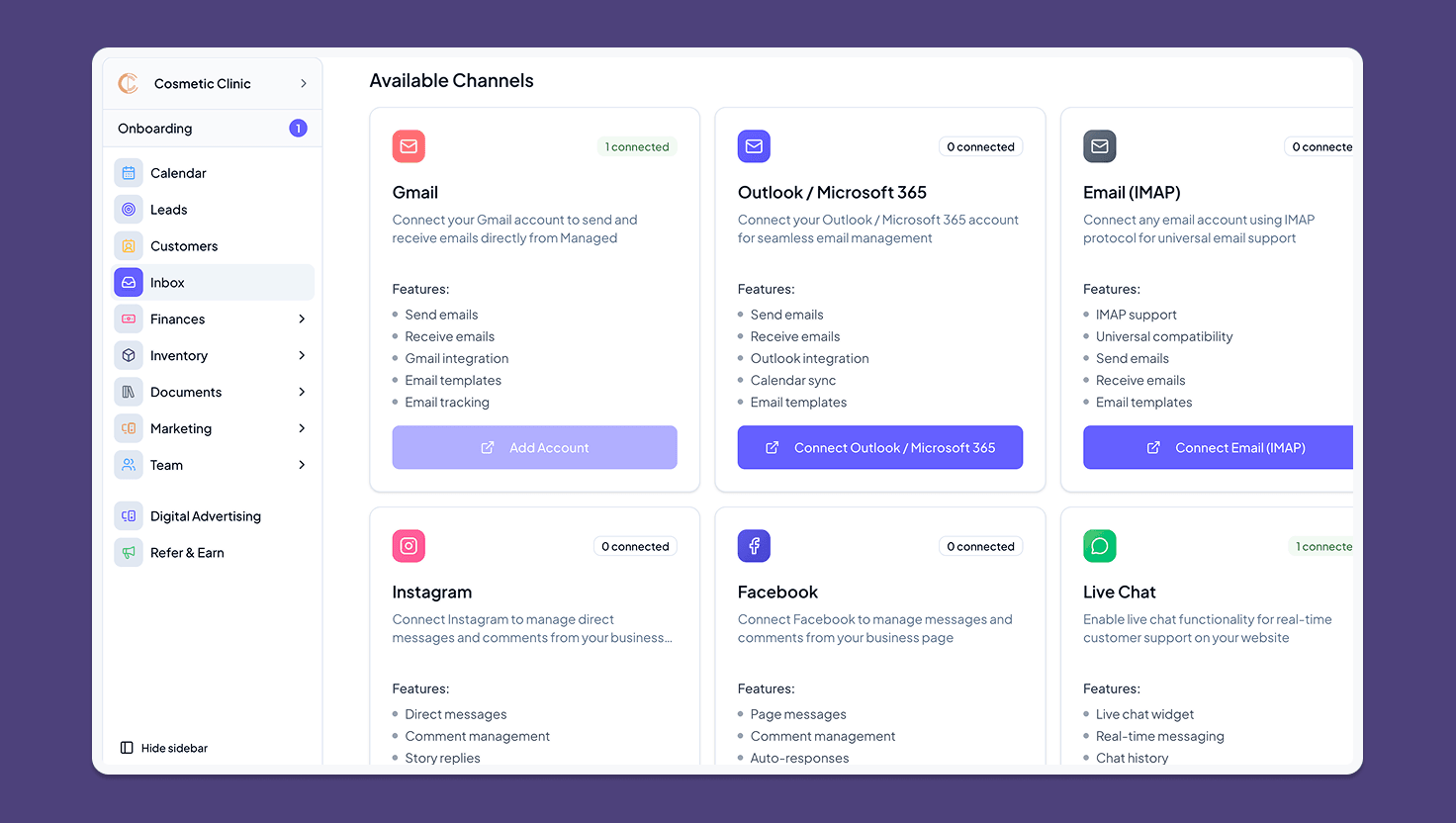
Bring scattered conversations into a shared queue so replies happen faster and client context stays visible.
Email, SMS, WhatsApp, social, live chat, and phone context organised around client and booking intent.
Slow replies are one of the fastest ways to lose high-intent enquiries.
Bring your main message channels into one inbox, assign ownership, and keep client and booking details beside each thread.
Faster first replies
Reduce response delay while intent is high
One shared inbox
Email, SMS, WhatsApp, social, live chat, and phone in one place
Clear ownership
Everyone knows who is handling each conversation next
Booking intent captured
More conversations have a visible path toward appointment booking
Managed AI triages incoming messages, drafts replies from your services and booking rules, and handles the routine questions - so your team only touches the conversations that need a human.
Every enquiry arrives with a ready-to-send reply based on your prices, policies, and availability.
Messages are classified by intent - booking, pricing, aftercare - and routed with clear ownership.
Review each reply, or let approved templates answer simple enquiries automatically within your rules.
Reduce missed context by giving the team one place to see client messages before the day gets busy.
Keep email, SMS, WhatsApp, social, chat, and phone context from becoming separate workstreams.
Help the team see who is handling each enquiry or client question.
Hot enquiries go cold when nobody knows who should reply first.
Clients get mixed messages when two staff members reply separately.
Too much app switching slows your team down during busy times.
Messages are missed when threads are handed over between roles.
How it works
A practical flow your team can follow without adding extra complexity to busy days.
Sort new messages so urgent leads are handled first.
Reply with booking history and client notes in view.
Move from enquiry to booking and follow-up without losing the thread.
Handle SMS, email, chat, and calls from one queue.
Faster first response
In Managed: Single shared inbox
See client and booking history while you reply.
More enquiries converted to bookings
In Managed: Inbox + CRM + scheduling
Assign threads clearly across front desk and practitioners.
Fewer dropped conversations
In Managed: Clear ownership rules
See which channels and response patterns book the most clients.
See which channels book the most clients
In Managed: Channel performance reporting
Clear day-to-day wins for owners, front desk teams, and practitioners.
Pain: Too many manual checks and unclear performance across the week.
Outcome: More visibility and fewer avoidable admin tasks.
Pain: Replying, booking, and handovers are spread across tools.
Outcome: Faster replies and cleaner booking handovers.
Pain: Missing context before appointments leads to slower service.
Outcome: Better client context and smoother appointments.
Practical results your team and clients should notice quickly.
Bring the highest-friction message sources into one shared workflow first, then expand channel coverage when the team is ready.
Connect priority channels first
Start with the inboxes where enquiries or client questions are most likely to be missed.
Set ownership habits
Agree how the team assigns, replies, and follows up so messages do not sit unattended.
Connect conversations to revenue
Link inbox activity to bookings, forms, payments, or tasks once the reply workflow is clear.
A practical 90-day journey focused on easier daily operations and repeat revenue.
Month 1
Set up the core flow and reduce avoidable admin on busy days.
Month 2
Improve handovers so more enquiries and visits are handled smoothly.
Month 3
Turn smoother daily operations into stronger rebooking and client retention.
Quick answers from teams evaluating Managed
Start free and bring messages, ownership, and booking context into one shared inbox.