Managed journal
How to Send Consultation Forms by Link or QR Code
Use links, QR codes, email, SMS, and in-person completion to collect consultation forms before appointments start.
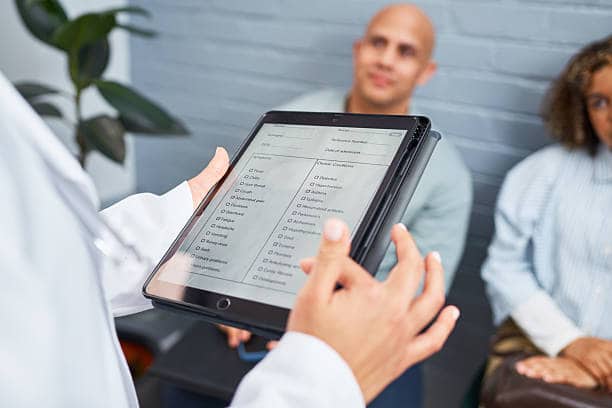
Knowing how to send consultation forms by link or QR code gives your team more ways to collect client details before the appointment starts.
Links work well before the visit. QR codes work well in reception, in the treatment room, or when a client did not complete the form in advance.
When to use a link
Use a form link when you want the client to complete the form before they arrive.
Good moments include:
- Immediately after booking
- In a confirmation message
- In a reminder message
- During a pre-treatment conversation
- When a returning client needs to update details
The link should take the client directly to the right form. Avoid making them search for the form on your website.
When to use a QR code
Use a QR code when the client is physically with you or near your reception process.
Good uses include:
- Reception desk check-in
- Treatment-room completion
- Walk-in consultations
- Events or pop-up clinics
- Backup when a link was missed
QR codes are useful because staff can show the code without typing a URL or sending another message.
Keep the assignment tied to the client
The send method matters less than the record it creates. A form should be connected to the correct client so the response is easy to review later.
Before sending, check:
- The client name is correct
- Contact details are current
- The right form is selected
- The appointment or service context is clear
- The team knows where to review the response
This prevents form answers from becoming another disconnected admin task.
Use email and SMS when helpful
Some clients prefer a message they can find later. Others respond faster to SMS. Use the channel that fits the client and appointment type.
Email can work well for:
- Longer consultation instructions
- Higher-consideration appointments
- Clients who want a formal record
SMS can work well for:
- Same-day reminders
- Quick mobile completion
- Clients who rarely check email
Review the response before the appointment
Sending the form is only half the workflow. Build a review habit:
- Check whether the response is complete
- Resolve missing answers early
- Review the key answers before service delivery
- Keep the response with the client history
Managed Forms supports link, QR, email, SMS, and in-person completion so the team can choose the right collection route for each client.
More from Managed
Related reading for your next operational fix
Best Consultation Form App for iPhone, iPad, and Mobile Teams
How to choose a focused consultation form app for mobile teams that need forms, clients, and responses without extra software.
How to Move from Paper Consent Forms to Digital Forms
A practical rollout plan for replacing paper consent forms with digital forms your team can send, review, and keep with client history.
How to Reduce No-Shows with Better Waitlists
Turn your cancellations and last-minute drops into opportunities with a practical waitlist design.